Audience: Creators Status: User Guide
This guide explains how the money your audience pays turns into earnings, and how those earnings reach your bank. For how to set prices, tiers, and perks in the first place, see Pricing Your Content.
How the money flows
When a viewer subscribes to a tier, buys an episode, gives coins, or gifts a subscription, Third Coast TV collects that payment through Stripe. The platform records your share in an earnings ledger and later pays you out through Stripe. Payments are not sent straight to you at the moment of purchase. They accrue as earnings first, and you move them to your bank when you are ready.
All amounts are handled in US dollars. Coin-funded actions like coin gifts use coins, where one coin equals one US cent.
How earnings accrue
Every audience payment that belongs to you creates one entry in your earnings ledger. Each entry records three numbers:
- Gross. The full amount the viewer paid.
- Fee. The platform fee on that amount.
- Net. What you earned after the fee. This is the amount you get paid.
The platform fee is 8% of the gross amount, and it is the only deduction the platform takes from your earnings. Do not expect a separate line for payment processing on your side. New earnings start with a pending status, which means they are counted and waiting to be paid out. Once you pay them out, they move to paid.
Earnings are recorded when a payment settles. For instant card payments that is right away. For payment methods that settle later, the earning is recorded once the funds clear.
Your earnings summary
Your dashboard shows a running summary of your ledger:
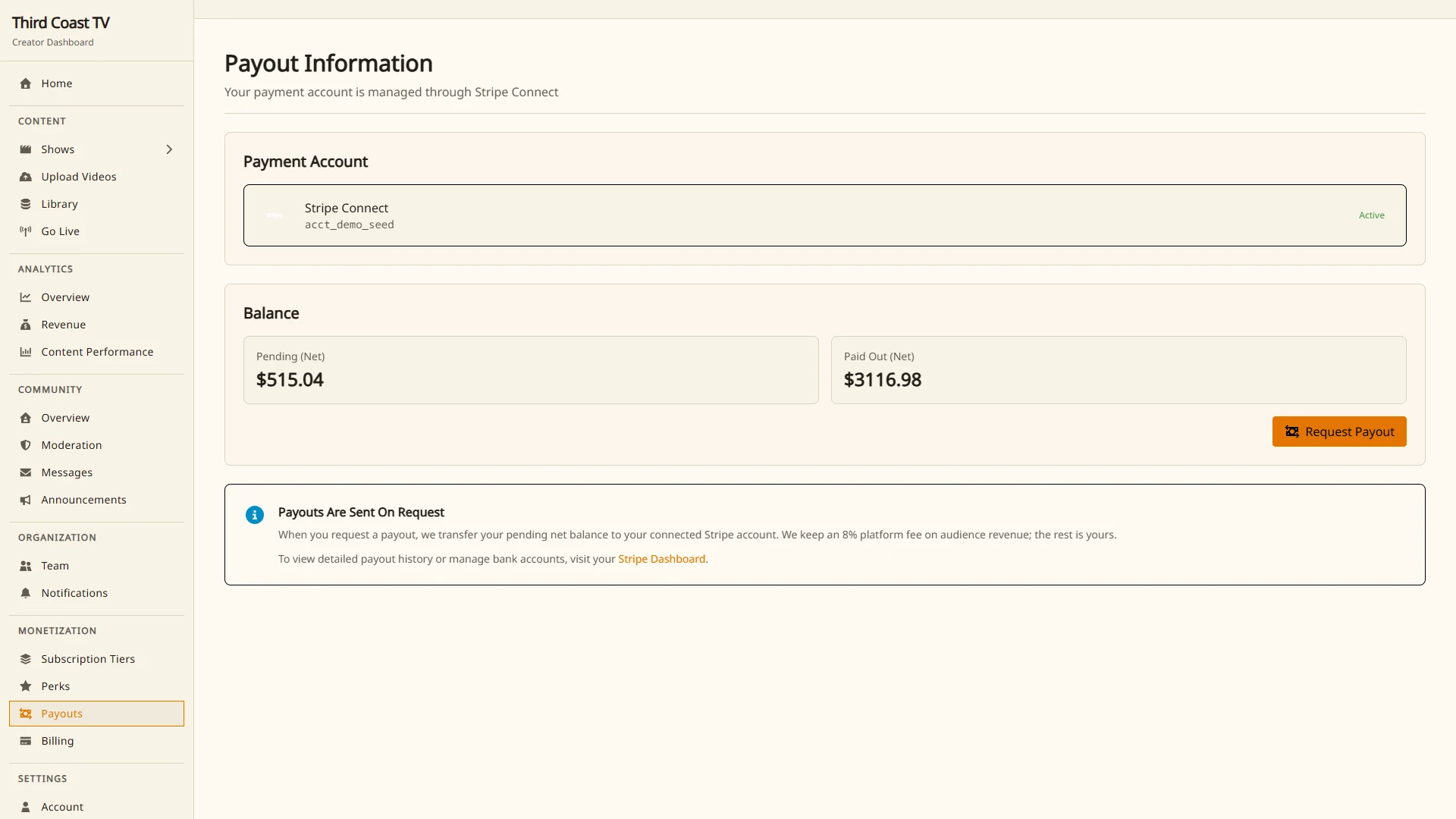
- Pending. Net earnings that are available to pay out now.
- Paid. Net earnings you have already paid out.
- Lifetime gross. The total your audience has paid you before the fee.
Pending is the figure that matters when you request a payout. It reflects the net of every settled earning you have not yet moved to your bank.
Connecting Stripe
Before you can receive a payout, you connect a Stripe account so the platform has somewhere to send the money. This uses Stripe Connect, and Stripe handles the sensitive parts of setup directly.
- Make sure your email is verified first. A verified email is required before you can start.
- Open Stripe Connect onboarding from your dashboard.
- Complete Stripe’s onboarding steps. Stripe collects and verifies the identity, banking, and tax details it needs, and any identity or tax requirements are handled by Stripe, not by Third Coast TV.
- When Stripe marks your account as onboarded, you are ready to request payouts.
Until onboarding is complete, the payout button will not be able to send money, so finish Stripe’s steps before you try to cash out.
Requesting a payout
Payouts are initiated by you from the dashboard. There is no fixed schedule and no minimum balance, so you decide when to move your earnings.
- Open Monetization → Payouts in your dashboard.
- Check your pending balance.
- Select Request payout.
When you do this, the platform gathers every pending earning, transfers their combined net amount to your connected Stripe account, and marks those earnings as paid. The page updates to show the amount paid and how many items were settled. If there is nothing pending, you will see a note that there are no earnings to pay out, and nothing is transferred.
After the transfer leaves the platform, the timing of the deposit into your bank is handled by Stripe and depends on your Stripe account.
Troubleshooting
The payout button will not send money.
- Confirm you finished Stripe Connect onboarding. A connected but not fully onboarded account cannot receive transfers yet.
- Confirm your email is verified.
My pending balance is zero.
- Only settled earnings count. A very recent purchase, or one made with a payment method that settles later, may not have cleared yet.
A question about identity, banking, or tax details.
- Those are managed inside Stripe. Update them through your Stripe account.